Eboracum
SOLUSLone worker monitoring

Eboracum Solus · by Eboracum UK Ltd, York

Nobody works alone unwatched.

Solus keeps every lone worker one tap from help, and gives your managers a live board that tells them the moment someone needs it.

Server checks run every minuteWorks with the phone locked
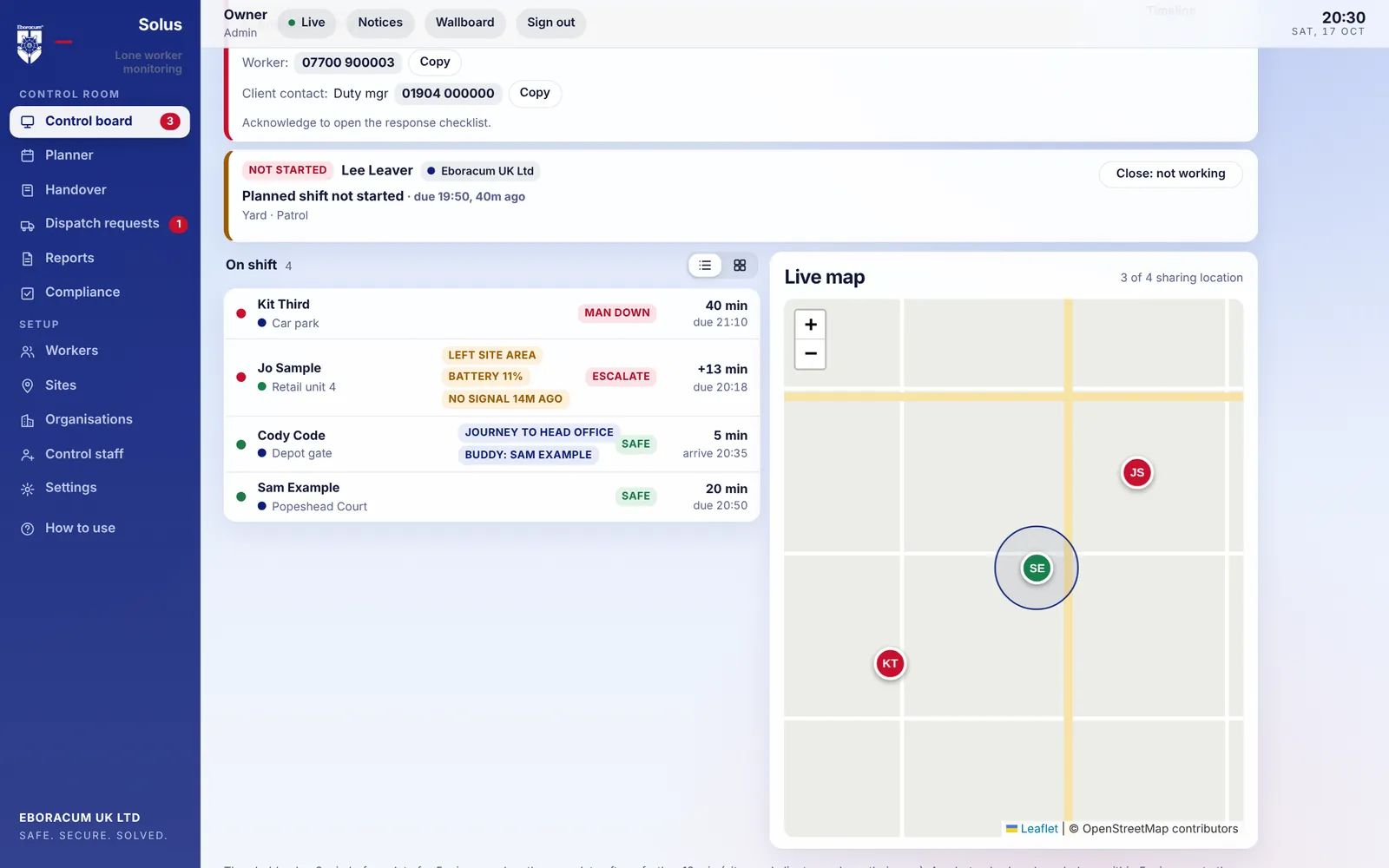
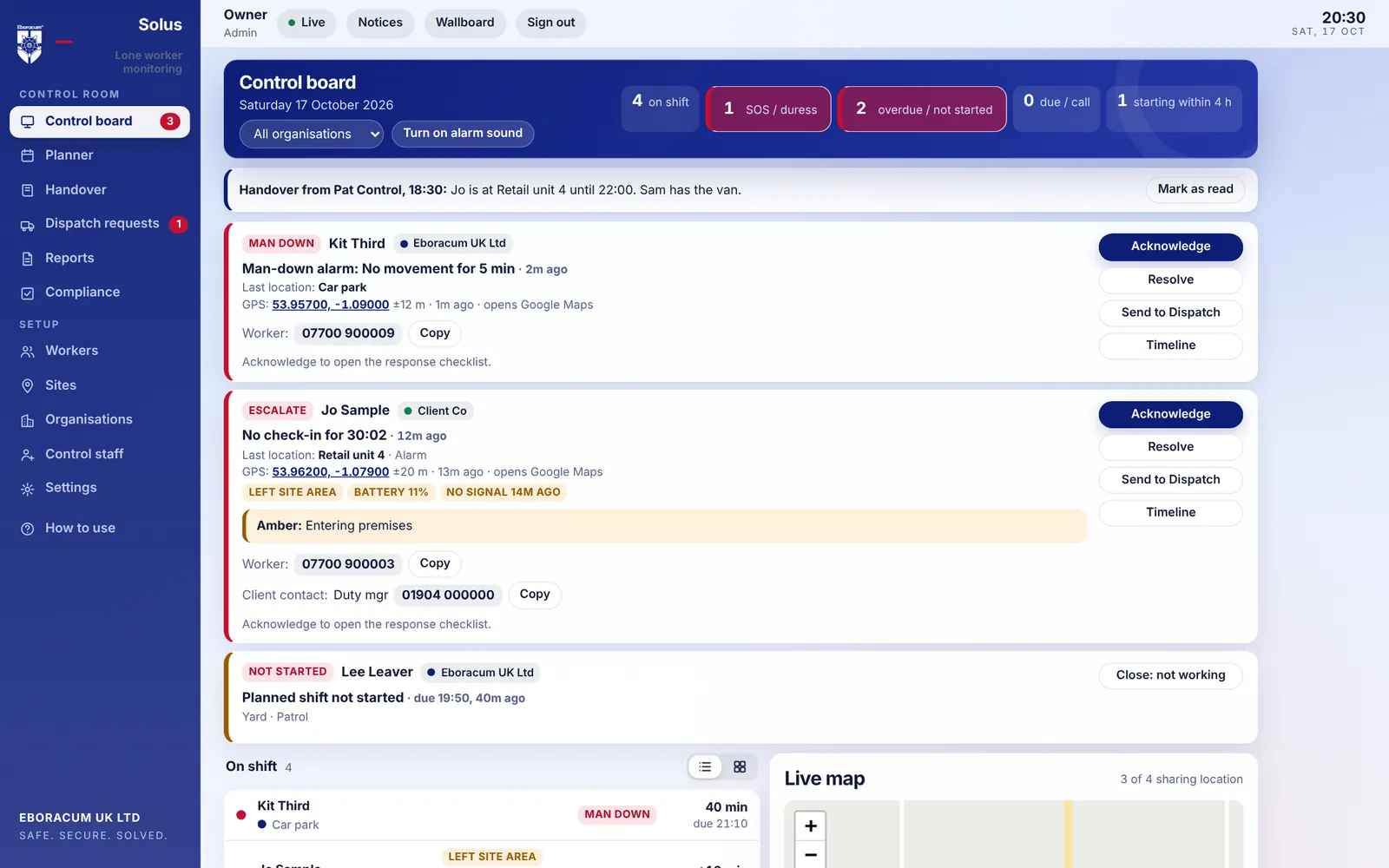
solus.eboracumuk.com · Control board
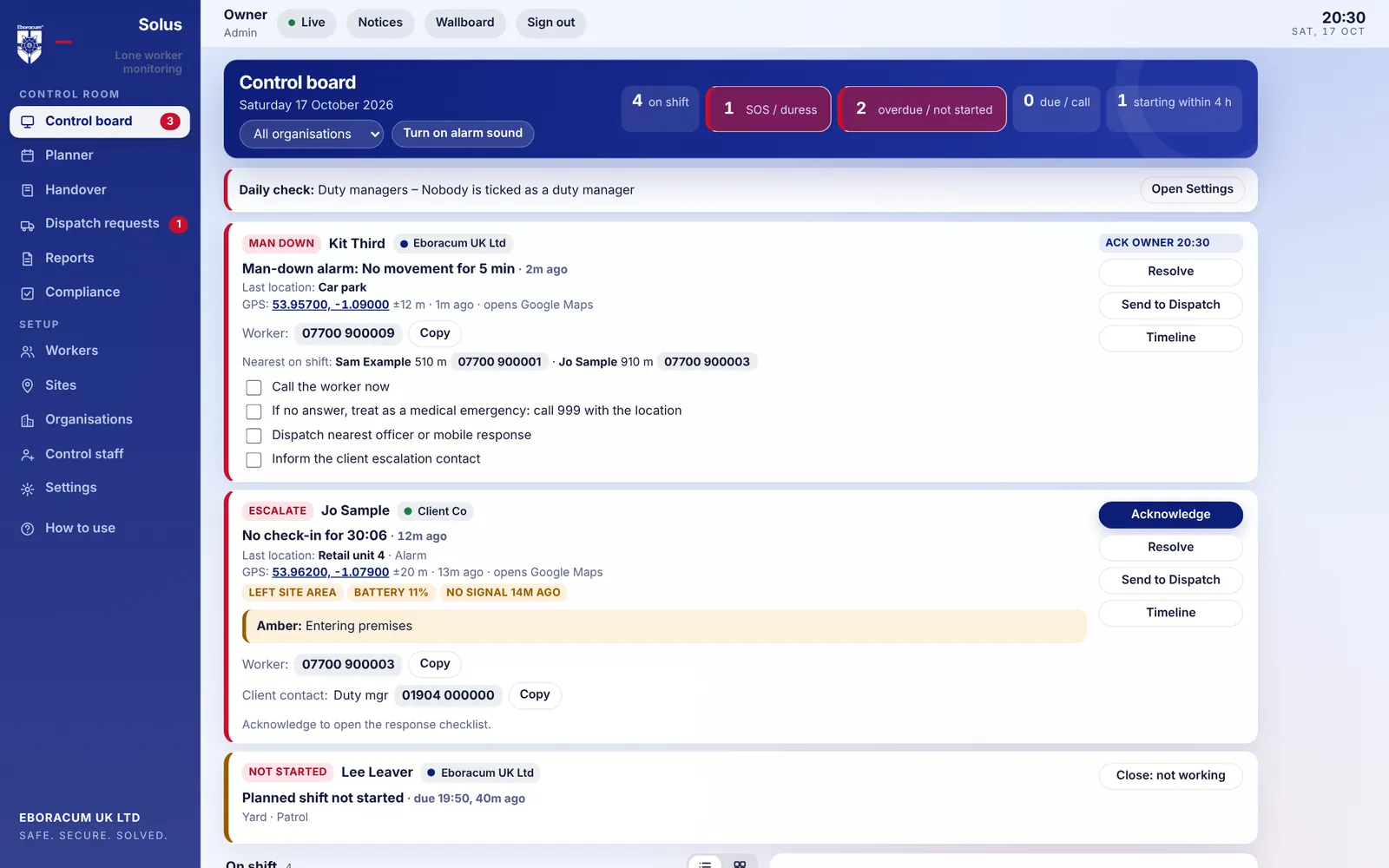
The Solus control board with live alerts, worker list and map
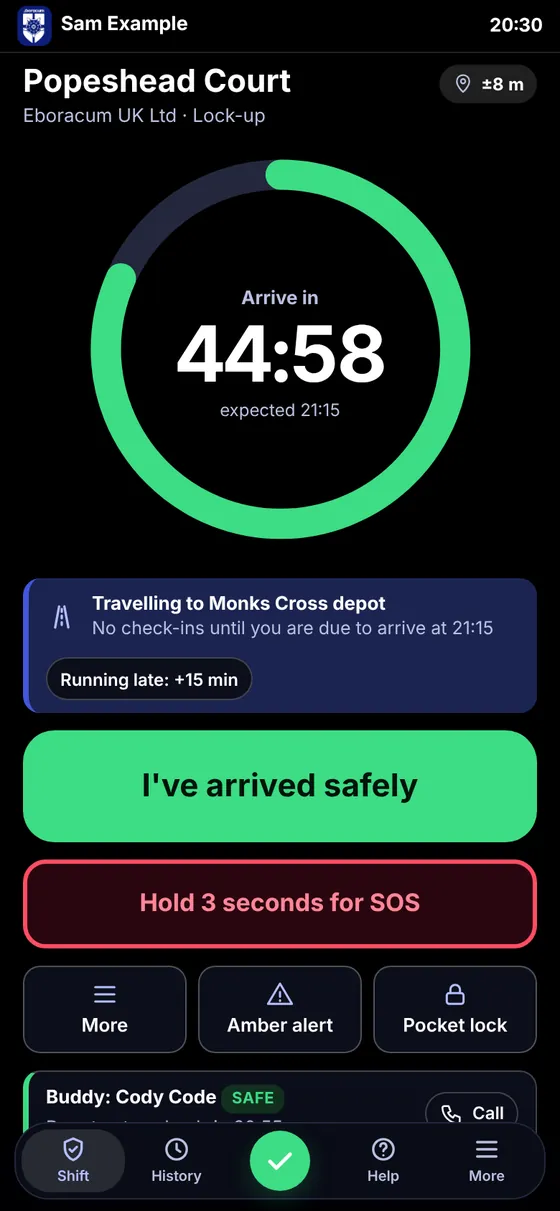
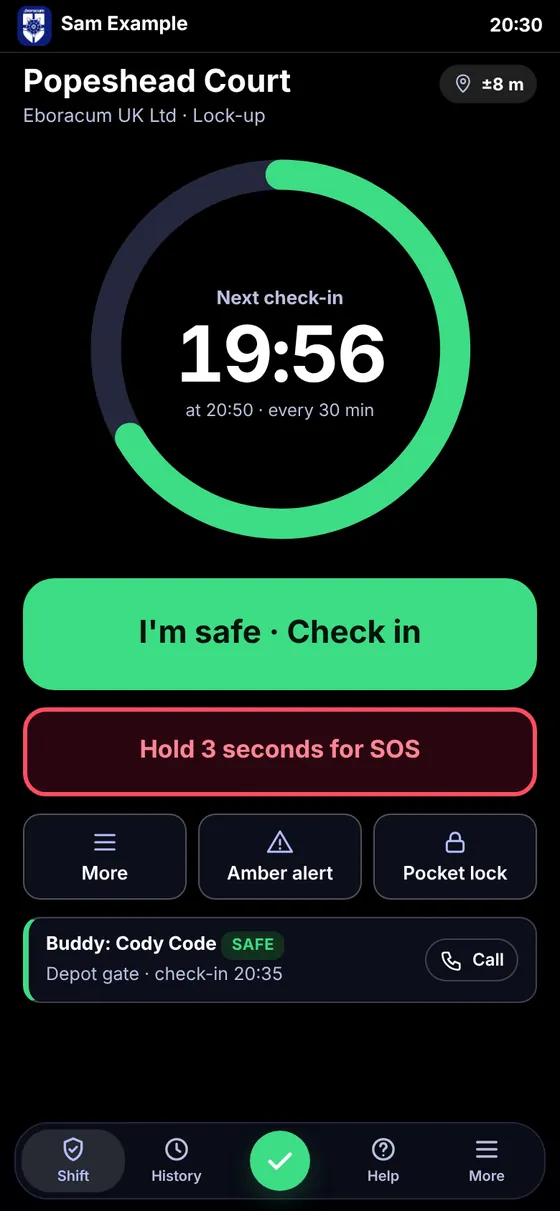
The Solus shift screen on a phone, counting down to the next check-in
5 waysto raise an alarm, including silent ones
12 stepsin an escalation flow you set yourself
1 tapfor a worker to say they are safe
iPhone, Android, webone live board for every device

The tour · one lone worker, one evening

Follow a lock-up shift

Sam is locking up a city-centre office on his own. Here is everything Solus does for him, and for the people looking after him, from the moment he signs in.

19:46

Worker

Sign in, and a ready check

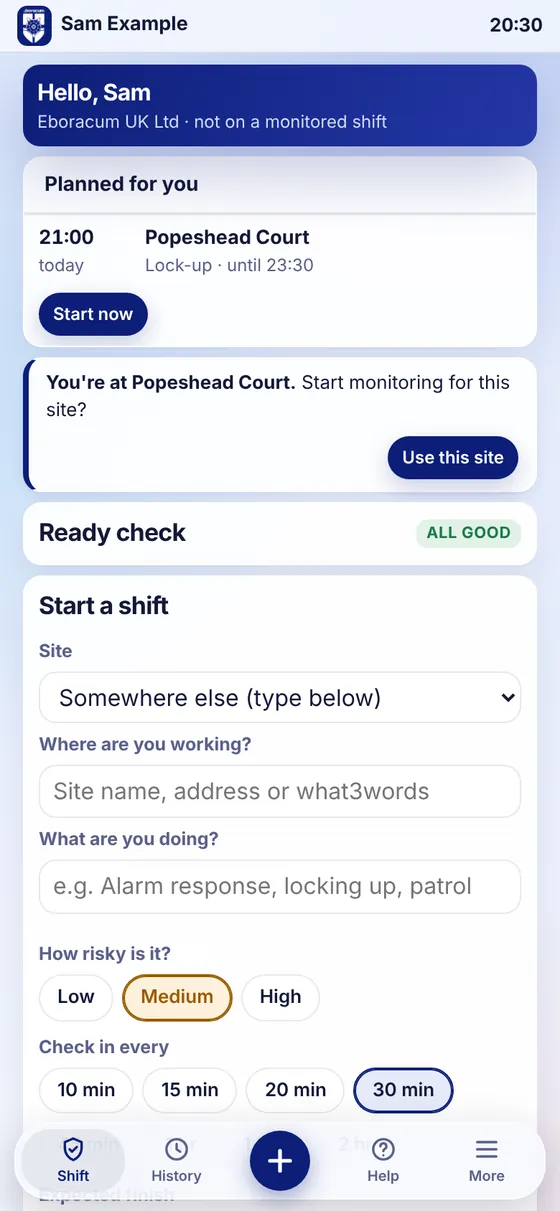
Sam signs in with his staff number and PIN. Solus checks his phone is ready before the shift starts: location on, notifications allowed, a signal to control and enough battery. If the planned site is nearby, Solus offers it straight away.

Problems are caught before he is alone, not after.
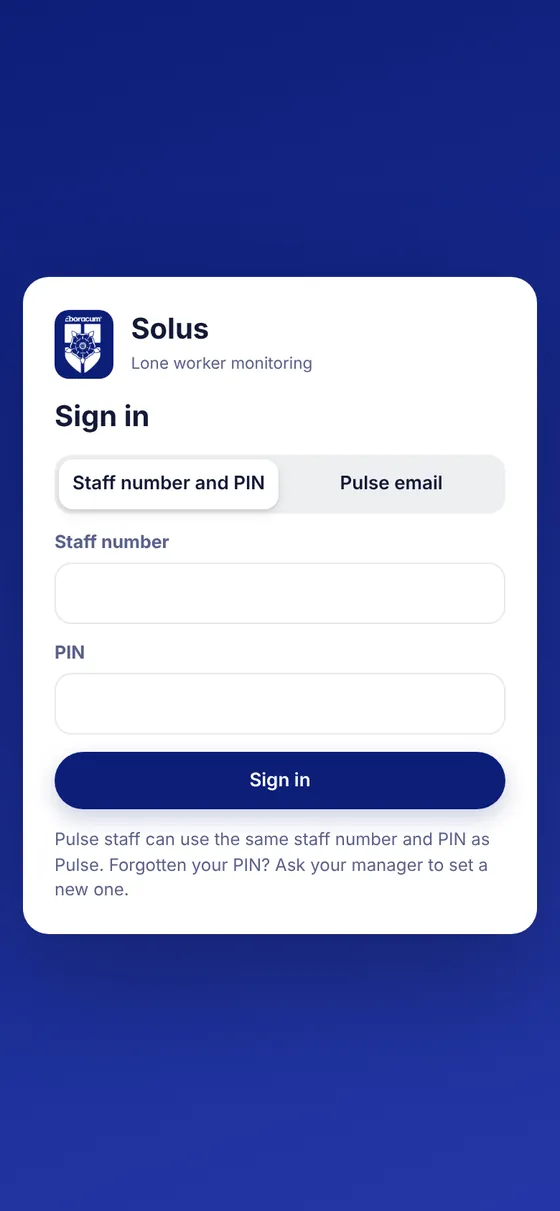
Sign-in screen
Start a shift with ready check
19:50

Monitoring on

One screen. Three things.

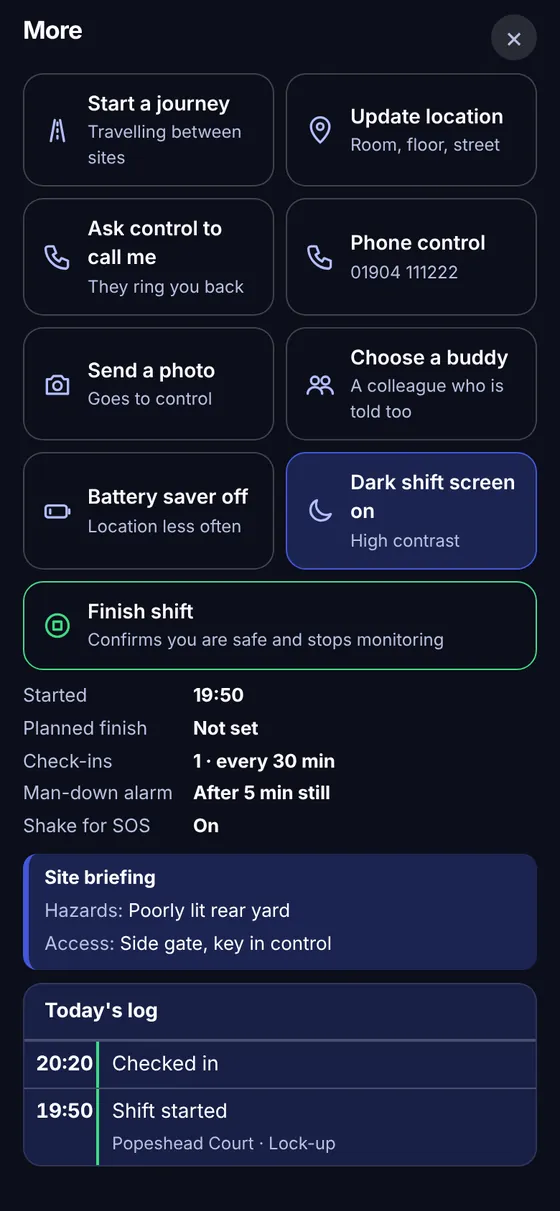
A countdown to his next check-in, one big button to say he is safe, and an SOS he holds for three seconds. Everything else sits behind More. On shift the screen turns dark and high-contrast, so it is readable in a stairwell at night.

His buddy for the night, a colleague on another site, shows underneath. Each is told if the other misses a check-in.

Shift screen with countdown, check-in and SOS
The More sheet
20:05

Amber alert

About to do something risky

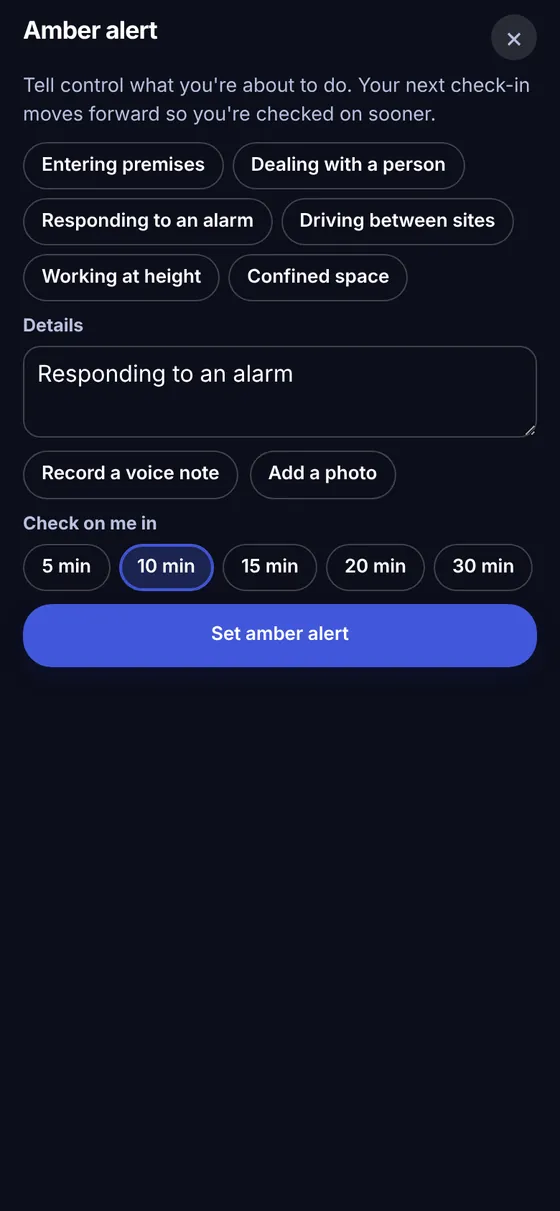
An intruder alarm goes off in the rear yard. Before he goes to look, Sam sets an amber alert: what he is doing, a voice note or photo if he wants, and how soon control should check on him. His next check-in moves forward to match.

Control knows exactly what he walked into, before anything happens.

Amber alert sheet
Pocket lock
20:20

Pocket lockJourney

Phone in pocket, then on the road

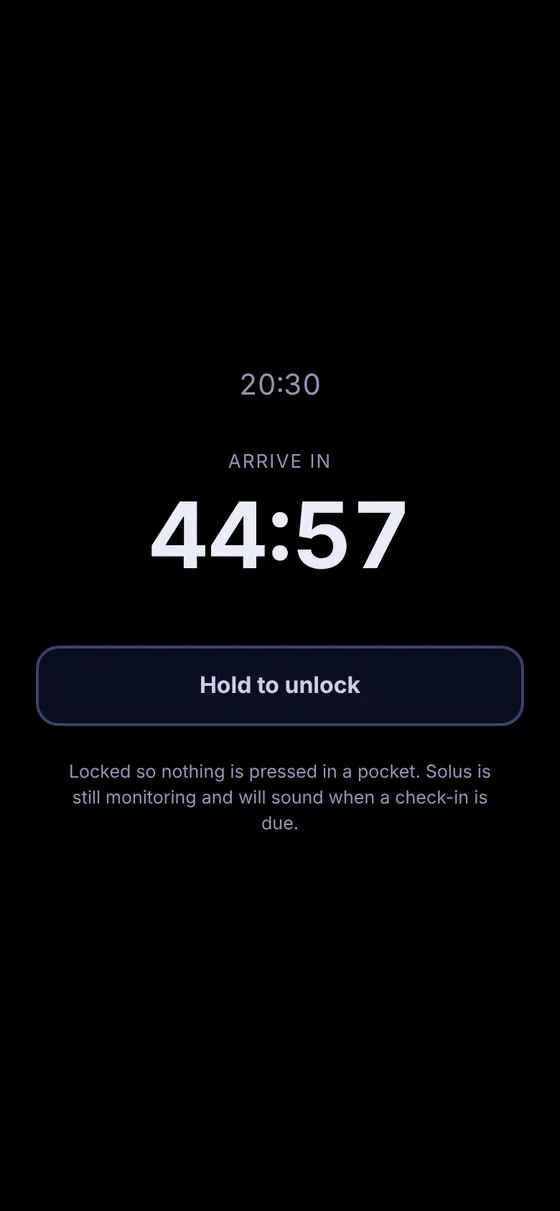
Pocket lock darkens the screen and ignores touches until he holds to unlock, so nothing is pressed by accident. When he drives to his next site, journey mode stops the check-ins and asks him to confirm he arrived by the time he expected. If he does not, control sees the route he took.

In the Solus app, location and reminders carry on with the screen locked.

Journey mode
21:16

Missed check-in

He does not answer

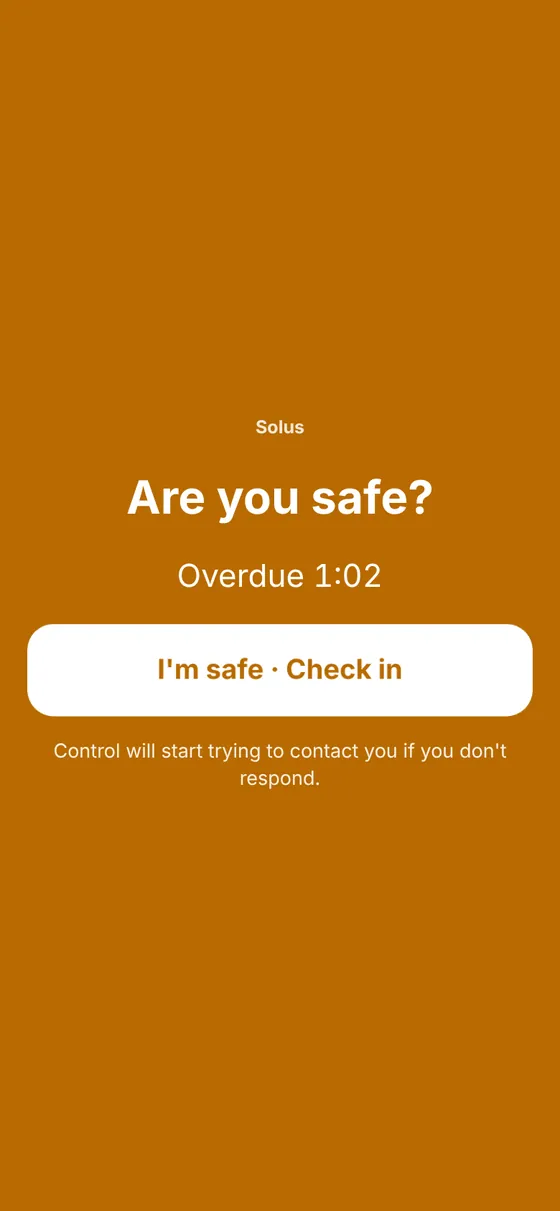
His phone shows a full-screen "Are you safe?" and keeps sounding. If he still does not respond, Solus starts the escalation flow you set: a text he can reply SAFE to, then an automated call where he presses 1 if he is safe or 9 for help, then the duty managers.

+5 minText the worker
+8 minCall the worker
+12 minText duty managers
+15 minCall duty managers

The flow runs on our servers, not the worker's phone, so it still happens if his phone is smashed, flat or out of signal.

Are you safe? screen
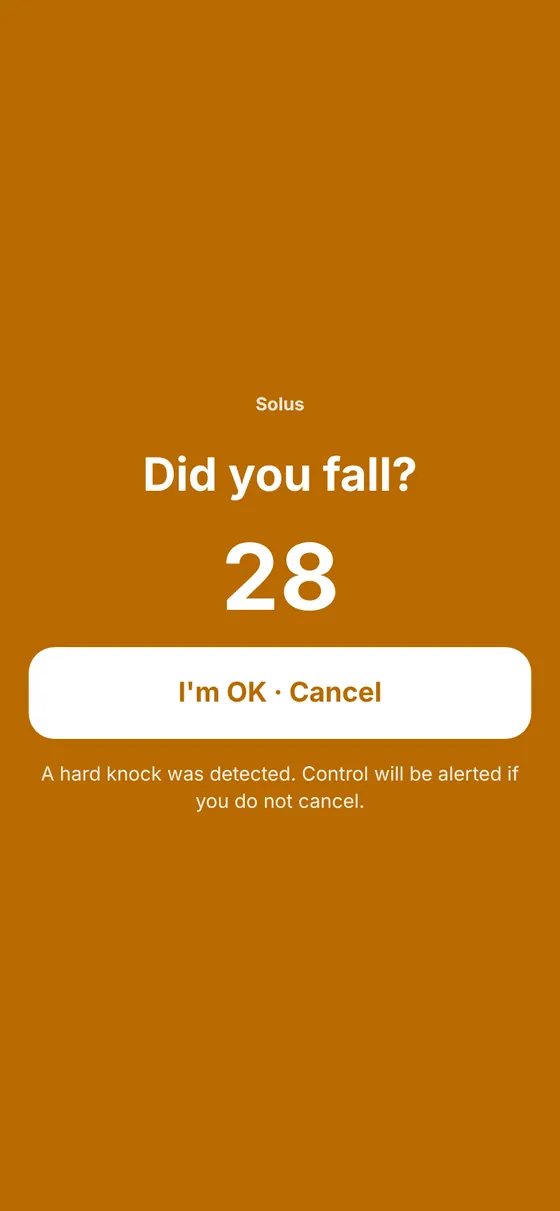
Man-down countdown
21:17

Control room

Control sees it first

The alert jumps to the top of the board with a siren that sounds different from a late check-in. One click acknowledges it and opens a response checklist, timed and logged: call the worker, call the site contact, send the nearest officer, call 999. The nearest colleagues on shift are listed with their numbers. If nobody acknowledges in time, the duty manager is told.

Control board · alert acknowledged
Acknowledged alert with response checklist
21:24

Resolved

Every second on the record

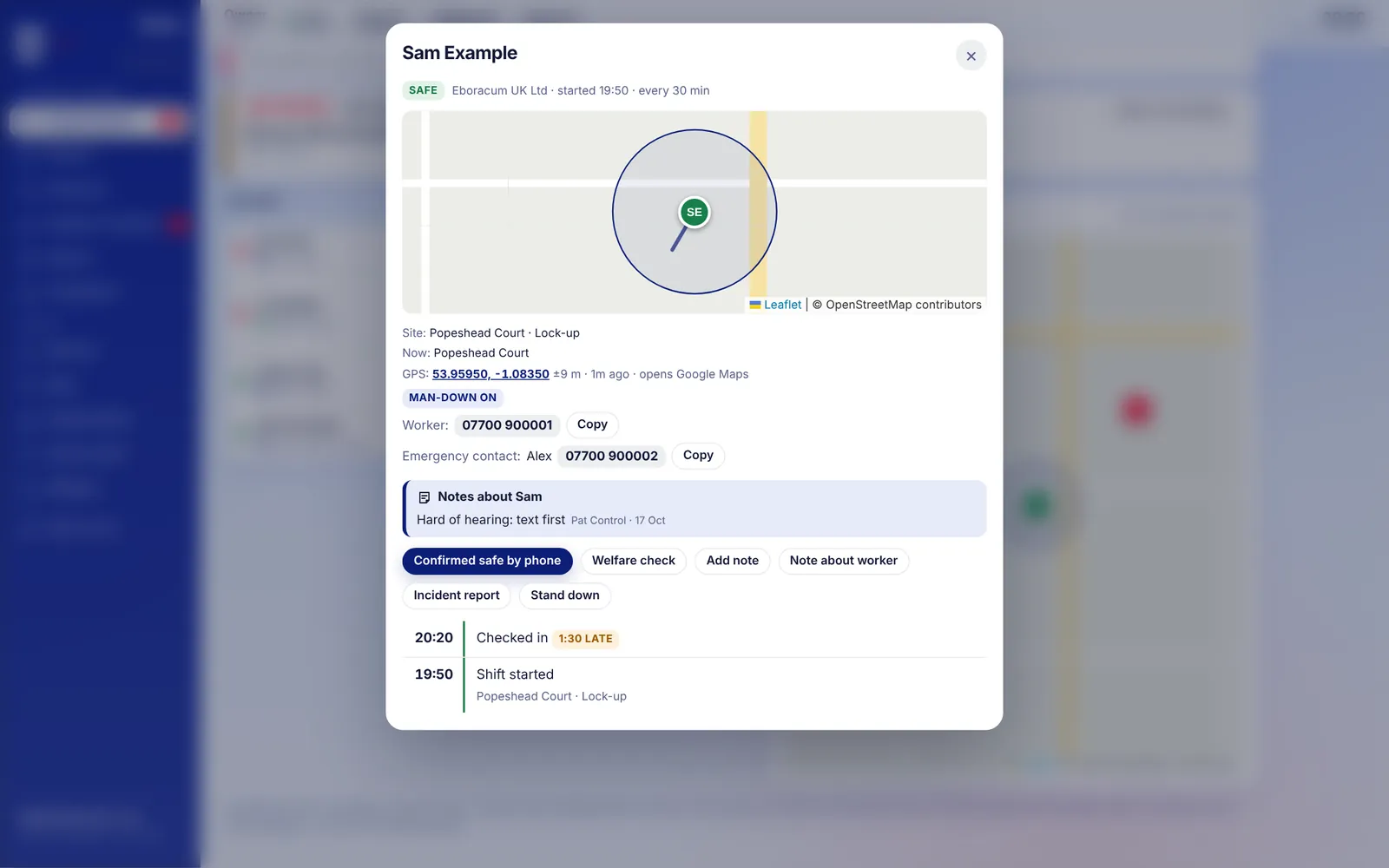
Sam answers: his phone was in his coat. The controller confirms him safe, and Solus asks for a reason before it restarts his timer. The shift timeline shows every check-in, how late it was, every alert and every action with who did it and when, ready to print as an incident report.

Shift timeline
Shift timeline with map and log

For managers

The control room, screen by screen

Everything a manager or controller uses, in a browser on any computer. Pick a screen.

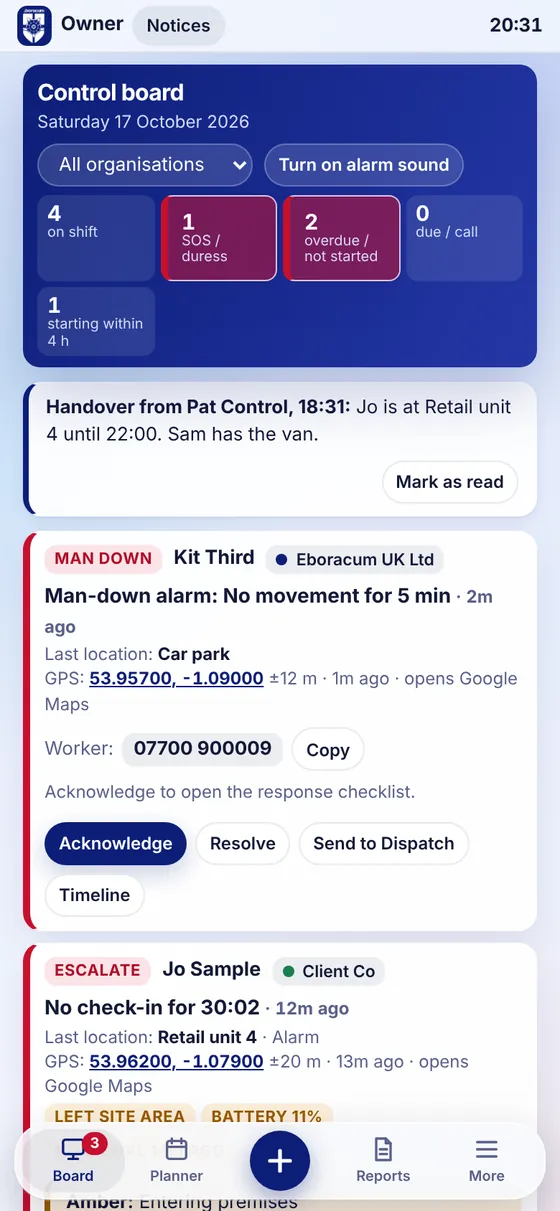
    Control board on a phone

    Managers on the move

    The whole board in your pocket

    Duty managers see the same live board on their phone, with alerts as notifications even when the app is closed. Acknowledge, call the worker or send a mobile response from wherever you are.

    Why Solus

    What you are actually buying

    A lone worker system is only as good as what happens when nobody answers. Solus is built around that moment.

    For your workers

    Help without fuss

    One tap to check in. An SOS they hold, a silent SOS that shows nothing on screen, a duress code that looks like a normal check-in, shake for SOS and a man-down alarm.

    For your managers

    Escalation that never sleeps

    Texts and automated calls in the order you choose. Duty managers told when an alert is not acknowledged. A watchdog that raises the alarm if the system itself ever stops.

    For your directors

    Evidence of duty of care

    A complete, timed record of every shift and alert. Reports on check-ins on time, response times and incidents, plus a self-assessment page that sets your evidence against BS 8484.

    For clients

    Their staff, their view

    Each client organisation can have its own managers who see only their own workers, their own sites and their own reports.

    For IT

    No kit to buy

    Runs on the phones your staff already carry: an iPhone and Android app, or straight from the browser. Nothing to install on site and no devices to charge or lose.

    For privacy

    Location only on shift

    Location is shared only between Start monitoring and Finish shift, and is deleted after 30 days. Workers accept a privacy notice before their first shift.

    We set you up

    We add your organisation, your sites with their hazards and access notes, and your workers. Bring your list in from a spreadsheet.

    Your staff install it

    A private App Store link for iPhone, the Android app, or the web. Each worker signs in with their own staff number and PIN.

    You are monitored

    Plan shifts so Solus can tell you when someone has not started, and watch the board from any browser or phone.

    Questions buyers ask

    Before you ask

    What happens if the worker's phone dies or loses signal?

    Missed check-ins are detected on our servers, not on the phone. If a phone goes quiet, control is told the app has lost contact, and the escalation flow still runs when a check-in is missed.

    Does it work with the phone locked in a pocket?

    Yes, in the Solus app: location and check-in reminders carry on with the screen locked, and the phone warns the worker if Solus has been closed during a shift. The man-down alarm and shake for SOS currently need Solus on screen.

    Who answers the alerts?

    Your own managers and controllers on the board, Eboracum's control room, or both. You decide who sees which workers and who is the duty manager.

    Can our managers sign in securely?

    Yes. Workers use a staff number and PIN; managers can add two-step sign-in with an authenticator app.

    Does it replace calling 999?

    No. Solus alerts people who can help and tells them where to go. Workers should still call 999 directly in an emergency when they can.

    Contact

    See it with your own sites

    Tell us about your lone workers and we will set up a demo with your sites and a practice shift you can try on your own phone.

    Email us

    mail@eboracumuk.com
    Open in your email

    Eboracum UK Ltd, Popeshead Court Offices, Peter Lane, York YO1 8SU

    Phone 01904 295570

    Write your enquiry